 Ifscape
What is a liquid glass camera?
A liquid glass camera is a camera app built around a glass-like, refractive look. The phrase is used in three different ways: a camera whose buttons and panels follow Apple’s iOS 26 Liquid Glass design, a wallpaper maker that uses the name, or a camera that puts refractive glass objects into the photo itself. They solve different problems, so the right one depends on what you want to end up with: a nicer camera interface, a wallpaper, or a picture with glass in it. Ifscape is the third kind.
Get Ifscape on the App StoreThree things people mean by “liquid glass camera”
| Kind | Where the glass is | Example (from public listings, 2026-10-02) |
|---|---|---|
| Interface cameras | The app’s buttons and panels use Apple’s iOS 26 Liquid Glass material. The photos themselves look like normal photos. | Camera M’s 9.0 update describes a Liquid Glass redesign; Liquid Cam’s App Store page says it is built around a Liquid Glass design. |
| Wallpaper makers | The name is used for an app that turns camera images into phone wallpapers. | An app that makes wallpapers from camera images uses the name on the App Store. |
| Glass objects in photos | A refractive glass object sits in front of the scene and ends up in the picture. | Ifscape. |
Listings change, so treat the examples as a snapshot of that date, not a ranking.
1. Interface cameras: the glass is in the controls
When Apple introduced Liquid Glass as the interface material of iOS 26, some camera apps redesigned their shutter, dials and panels to match. In these apps “liquid glass” describes how the app looks while you use it. Their listings tend to focus on camera controls such as manual exposure, RAW or film-style looks.
Choose this kind if you want a full camera with manual controls and you like the iOS 26 look on the controls. Do not expect glass to appear in your photos.
2. Wallpaper makers: the output is a wallpaper
Some apps use the phrase for a tool that turns camera images into lock screen or home screen wallpapers. The result is a wallpaper, not a photograph of a place.
Choose this kind if what you want at the end is a new background for your phone.
3. Glass objects in photos: the glass is in the picture
The third meaning is the most literal one: a piece of liquid-looking glass stands in front of a real scene, bends the light behind it, and both are saved in the same photo. You see the scenery through the glass, slightly refracted, with highlights on the edges, much like holding a glass object up to a window.
This is what Ifscape does. The glass belongs to the object, not to the interface. You choose an object, place it on the live camera view, and tap the shutter. Choose this kind if you want the photo itself to have a liquid glass look without editing it on a computer afterwards.
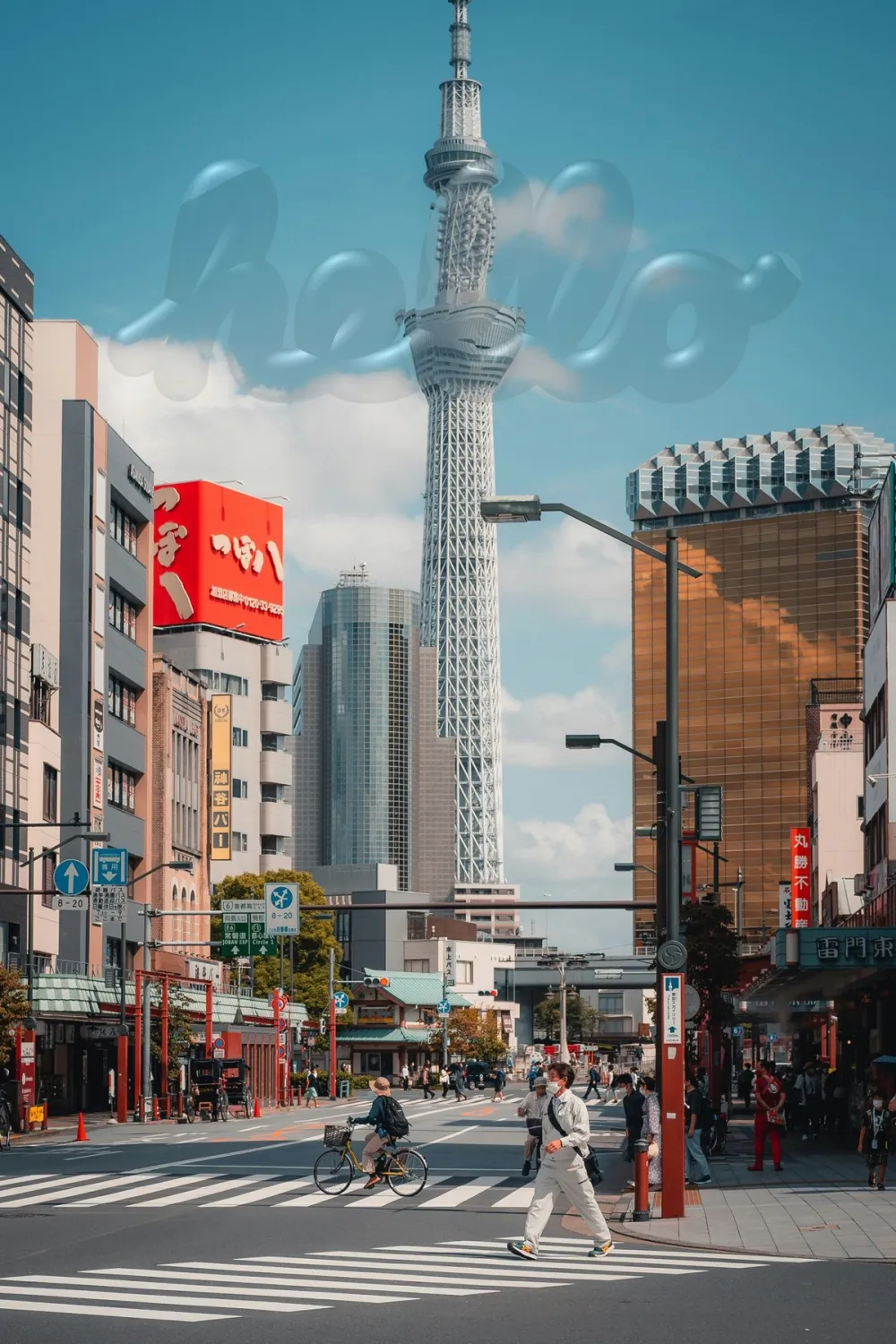
How Ifscape’s glass works
- Point the camera at a scene, or import a photo from your library.
- Swipe the style bar and pick a glass object.
- Drag, pinch and rotate it on the live view until it sits where you want it.
- Tap the shutter. Ifscape saves one photo with the scenery and the glass together.
What you see in the viewfinder is what you save, so you compose the scene and the glass at the same time.
The glass objects in Ifscape (version 1.0.2)
| Object | What it adds | Plan |
|---|---|---|
| Clock | A transparent analog clock standing in the landscape. | Free |
| Colors | A glass palette card of the colors in front of you. | Free |
| Text | A word in glass, placed in the scene. | Free |
| Ink | Ink floating on the glass, inspired by suminagashi marbling. | Free |
| Vinyl | A glass card of the track playing in Apple Music. | Free |
| Sticker | A small decoration placed on the scene. | Plus to save |
| Flute | Fluted glass over the whole frame, with clear windows you can move. | Plus to save |
| Water | A film of water over the scene. | Plus to save |
| A printed acetate: spot color outside the window, the live scene inside. | Plus to save | |
| Style, Calories, Words | A person turned into a glass object, and recognition tags for food or vocabulary. | Plus |
Sticker, Flute, Water and Print can be tried live in the viewfinder before you decide. Current prices are shown on the App Store. See the features page for details on each object.
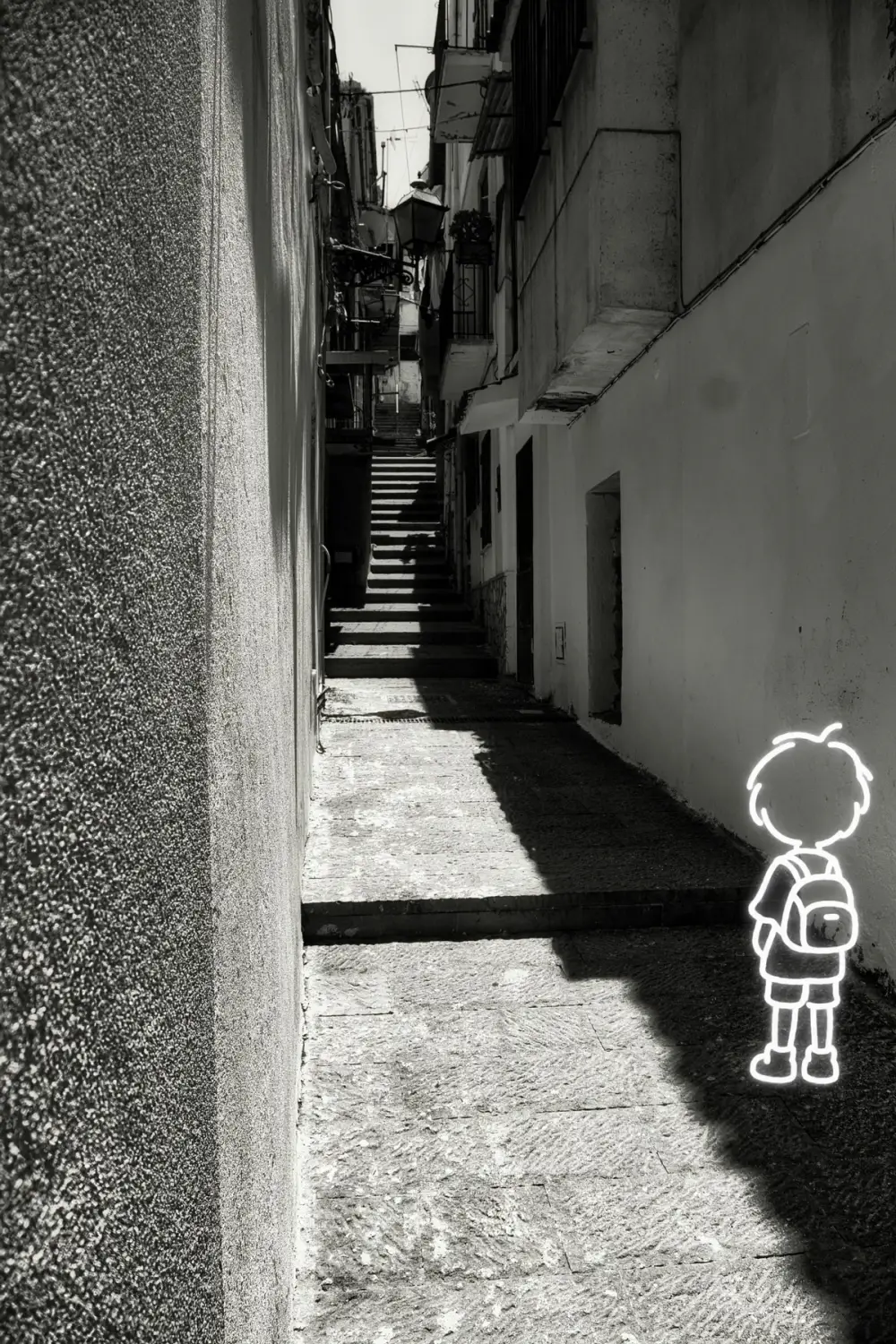
What you can make with a liquid glass camera
- Liquid glass photo effect on iPhone: get the refractive glass look in a photo while you shoot, instead of building it in Photoshop or Figma.
- Fluted glass photo effect: the reeded glass look, with a clear window over the part you want to keep sharp.
- Glass clock photo: the time standing in the landscape.
- Now playing photo: the song you were listening to, standing in the place you heard it.
- Put an object in front of a landscape: the basic move, without AR.
- Ways to mark a place in a photo: time, music and colors for travel shots.
How to choose
- You want manual controls or RAW and like the iOS 26 look: an interface camera.
- You want a new phone background: a wallpaper maker.
- You want glass you can see in the finished photo: a glass-object camera such as Ifscape.
- You want a 3D model anchored to your room: an AR app, which is a different category.
These tools do different jobs, and nothing stops you from keeping more than one. For a longer side-by-side, see types of liquid glass camera apps compared.
What Ifscape is not
- Not AR: nothing is anchored to a surface in your room.
- Not a filter: the whole photo is not restyled. The glass sits in front of the scene and the scene stays visible through it.
- Not a wallpaper maker: the output is a photograph.
- Not a manual or RAW camera, and it does not print camera settings (EXIF) on the photo.
- Not a video tool: it saves still photos.
Who it is for
People who like the idea of “what if this object stood in that place?”: travel and landscape shots, creative social posts, and anyone who wants a glass clock, a color card or a fluted glass window in the picture without editing afterwards. Ifscape runs on iPhone with iOS 17 or later.
Liquid glass camera questions
Is a liquid glass camera the same as iOS 26 Liquid Glass?
Not necessarily. Liquid Glass is the name of Apple’s translucent interface material in iOS 26. Some camera apps adopt that look for their buttons and panels. Ifscape puts refractive glass objects in the photo instead, and it runs on iOS 17 or later.
Does a liquid glass camera need an iPhone with iOS 26?
Ifscape does not. It requires iOS 17 or later.
Is Ifscape a filter?
No. A filter changes the whole photo. Ifscape puts a glass object in front of the scene and keeps the scenery visible through it.
Which glass objects are free?
In Ifscape, Clock, Colors, Text, Ink and Vinyl can be captured for free. Sticker, Flute, Water and Print can be tried in the viewfinder; saving them needs Ifscape Plus. Style, Calories and Words also need Ifscape Plus. Current prices are shown on the App Store.
Can I add the glass to a photo I already took?
Yes. Import a photo from your library, then place glass objects over it the same way as on the live camera view.